
Why scripting matters in PCB engineering
In PCB analysis and CAM, the same tasks often come back day after day. That is exactly where PCBI Scripting makes a difference: it gives you full access to the PCB-Investigator interface functions and lets you automate repetitive steps instead of handling them manually.
For engineers, CAM specialists, and technical decision-makers, the benefit goes beyond saving time. Automation improves repeatability, reduces operator dependency, and helps standardize workflows across projects and teams.
A practical scripting environment built into the tool
PCBI Scripting is designed to make adoption easier. The tool includes an overview of available online demos directly inside the software, which shortens the learning curve and helps you get from concept to usable automation much faster.
That means you can explore examples, understand the available functions, and adapt them to your own process without starting from scratch. Whether you want to optimize internal CAM routines or build more structured analysis steps, the scripting layer gives you the flexibility to do it.
Automate the routine work, keep the engineering focus where it belongs.
Examples of what you can automate
- Loading and preparing ODB++ jobs
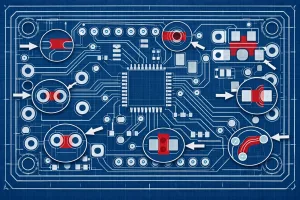
- Highlighting pins for analysis and review
- Creating working copies automatically
- Standardizing recurring inspection steps
- Integrating workflow logic into custom scripts
In high-throughput environments, this kind of automation quickly pays off. It helps reduce errors, improves traceability, and makes processes more predictable for the entire team.
If you want to see how scripting can streamline your PCB workflow, check out PCBI Scripting here: https://www.pcb-investigator.com/funktionen/developer-tools/pcbi-scripting/