
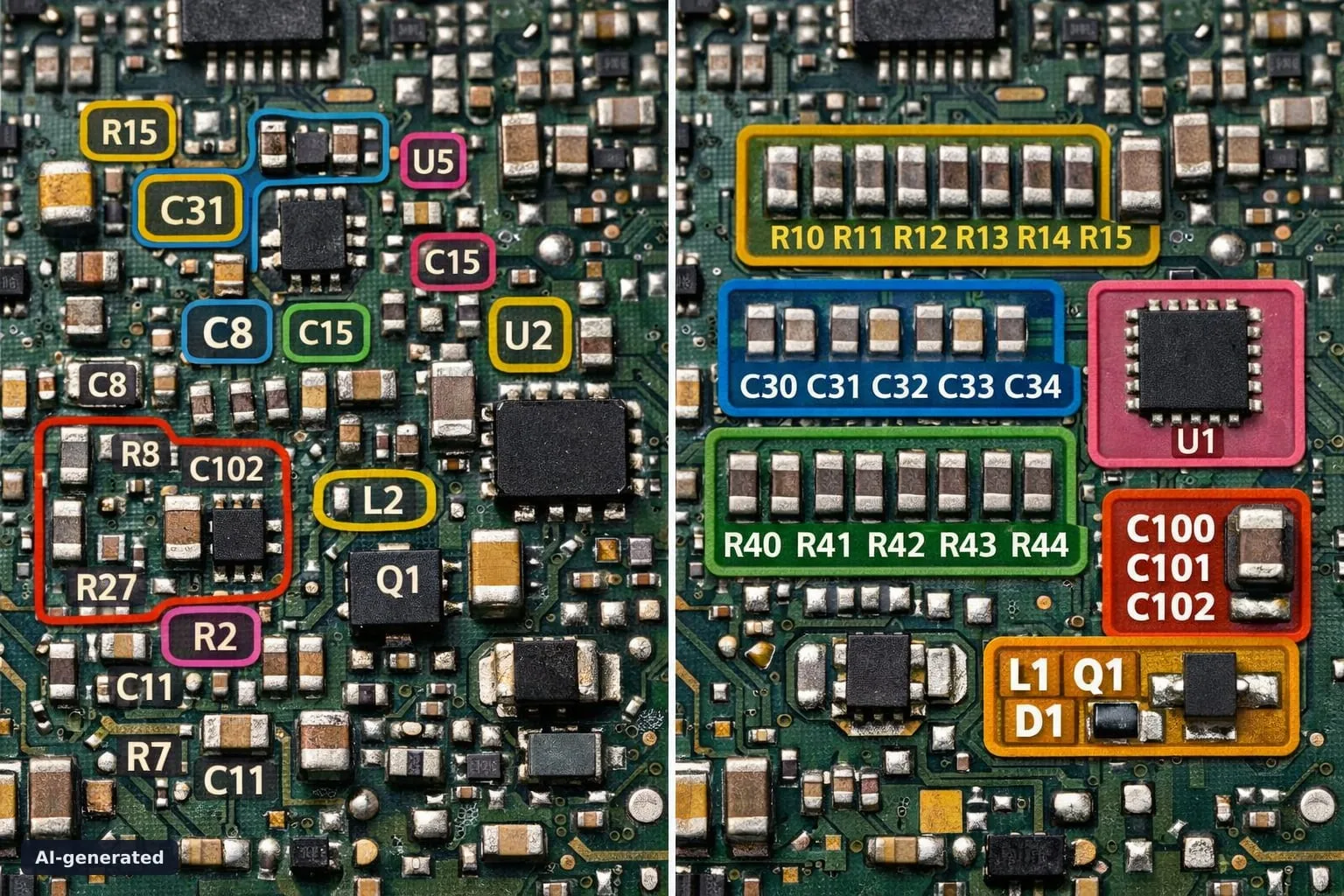
When PCB data gets dense, visual clarity matters
Large component sets and tightly packed layouts can slow down even experienced engineers. The Color Group plug-in in PCB-Investigator helps turn complex PCB data into a much clearer visual workflow.
With ODB++, all relevant information is fully accessible and editable inside PCB-Investigator. Color Grouping adds another layer of usability by making grouped components easier to interpret at a glance, which is especially valuable during analysis, review, and production-oriented checks.
Flexible grouping for real engineering workflows
Groups can be defined either by component type such as Cxxx, Rxxx, ICxxx, or Lxxx, or by component number patterns such as x1xx, x2xx, or x3xx. Each group can be assigned a unique color using an exact RGB value or the integrated Color Editor.
This creates a fast, intuitive visual overview that improves readability without changing your underlying data structure. For teams working with design data, manufacturing data, or quality checks, that can mean less friction and faster decisions.
Key benefits
- clearer visual segmentation of PCB components
- faster interpretation of dense datasets
- support for ODB++, IPC-2581, and GenCAD
- more efficient analysis and workflow handling
Better visual organization often leads to better engineering decisions.
If you want to make PCB analysis more intuitive, take a look at Color Groups in PCB-Investigator. Try it out and see how much faster your team can work with color-coded component groups.