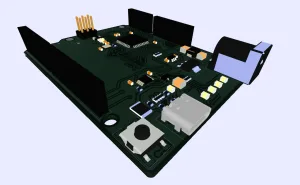
Make complex PCB data readable at a glance
On dense boards, the ability to understand structure quickly is often the difference between efficient analysis and time-consuming inspection. That is exactly where Color Groups in PCB-Investigator adds value: it assigns colors to component groups and turns crowded layout data into an immediately readable visual map.
With ODB++, all information in the PCB data set is fully accessible and editable within PCB-Investigator. Color Groups builds on that strength by adding an intuitive visual layer that helps engineers interpret components and functional areas much faster. For development, analysis, and preparation workflows, that can make a real difference.
Flexible grouping options for engineering workflows
Components can be grouped in several ways. One common approach is to color-code by the first character of the reference designator, such as R for resistors, C for capacitors, or L for inductors. Another option is grouping by the first number block, which helps identify related parts such as R123 or C456 within a circuit structure.
PCB-Investigator also supports grouping by attributes or properties. For example, all components sharing the same PACKAGE_GROUP value can be displayed in one color. This is especially useful when highlighting families such as chips, SOPs, QFNs, or other package groups in a consistent way.
Color coding is not just visual decoration. It provides immediate technical context for faster decisions.
Why engineers use it
- Faster recognition of functional areas on the board
- Better readability on large and complex designs
- Flexible grouping by type, reference, or attribute
- Custom colors via exact RGB values or the integrated Color Editor
- Compatibility with IPC-2581 and GenCAD
In review, debugging, and data-preparation stages, a clear color scheme reduces interpretation effort and speeds up communication across teams. Instead of manually tracing each component, engineers get a structured overview that reveals relationships much faster.
Learn more here: https://www.pcb-investigator.com/en/features/developer-tools/color-groups/
If you regularly analyze PCB data or prepare it for manufacturing, this is a feature worth testing. Explore PCB-Investigator Color Groups and see how much faster your workflow can become.