Skip to content
  • Other Products
    • Panel Optimizer
    • GerberLogix
    • Online GerberViewer
    • Native Board Import (NBI)
    • PCB CAM Online
    • Easy Documentation
    • PCBI Web App & Xplorer Vision
  • Client Login
  • de_DE en_US
PCB-Investigator
  • Editions
    • Select your edition
      • Basic
      • Ultimate
      • Fabrication
    • [Blank]
      • Production Control
      • Developer
      • Physics
  • Features
    • Data Management
      • Database Comparison
      • Graphic Board Compare – Compare your Designs
      • Package Expert
      • PDF Synchronization
      • PCBI 365
    • Developer Tools
      • Capacity Calculator
      • Color Groups
      • Component Connection Analysis
      • Creepage Analysis
      • Database Comparison
      • Hazard Analysis
      • Impendance Calculator
      • Net Group
      • Net Length
      • Power Pin Wizard
      • Stencil Analysis
      • PDF Synchronization
      • PCBI Scripting
      • Physics (Thermal Analysis / Current Simulation)
    • Fabrication Tools
      • Graphic Board Compare – Compare your Designs
      • AOI
      • AOI Analyse
      • Bare Board Analysis DRC
      • BOM EXPERT
      • Component Analysis
      • Component Report
      • Design Report
      • DFT Preparation
      • DFM (Design for Manufacturing)
      • Edit Components
      • Net List
      • Panel Builder
      • PLACEMENT PROGRAM GENERATION (SIPLACE)
      • Testpoint Report
      • Tombstone Analysis
      • Stencil Generation
    • Import/Export
      • 3D Export (Step/Obj/3D-PDF/WebGL)
      • Components(CSV) Import
      • DXF Import/Export
      • EAGLE Import
      • GenCAD Import/Export
      • Gerber 274x Import/Export
      • IDF Import/Export
      • IPC-2581 A/B/C Import/Export
      • Machine Formats and Interfaces
      • ODB++ Import/Export
      • Fabmaster – Import of Cadence and FABmaster files
      • IDX Export
      • Mentor Pads Import
      • DPF Import
      • Zuken Import
    • Reporting
      • Database Comparison
      • Graphic Board Compare – Compare your Designs
      • Component Report
      • Design Report
      • Extended Design Report
      • Test Coverage Report
      • Part Expert
      • Virtual BOM Export
      • Work Instructions – Generate Production Documentation
    • Simulation
      • AOI Analyse
      • Hazard Analysis
      • Physics (Thermal Analysis / Current Simulation)
  • Support
    • Help Center
      • Client Login
      • License systems
      • Documentation
      • How-To Instructions
      • Videos
      • SDK & Participate
      • FAQs
    • Contact
      • Contact form
      • Training
      • Data Transfer
  • What is new?
    • News
    • Blog
  • Get a quote
  • Free trial
Menu Close
  • Editions
    • Select your edition
      • Basic
      • Ultimate
      • Fabrication
    • [Blank]
      • Production Control
      • Developer
      • Physics
  • Features
    • Data Management
      • Database Comparison
      • Graphic Board Compare – Compare your Designs
      • Package Expert
      • PDF Synchronization
      • PCBI 365
    • Developer Tools
      • Capacity Calculator
      • Color Groups
      • Component Connection Analysis
      • Creepage Analysis
      • Database Comparison
      • Hazard Analysis
      • Impendance Calculator
      • Net Group
      • Net Length
      • Power Pin Wizard
      • Stencil Analysis
      • PDF Synchronization
      • PCBI Scripting
      • Physics (Thermal Analysis / Current Simulation)
    • Fabrication Tools
      • Graphic Board Compare – Compare your Designs
      • AOI
      • AOI Analyse
      • Bare Board Analysis DRC
      • BOM EXPERT
      • Component Analysis
      • Component Report
      • Design Report
      • DFT Preparation
      • DFM (Design for Manufacturing)
      • Edit Components
      • Net List
      • Panel Builder
      • PLACEMENT PROGRAM GENERATION (SIPLACE)
      • Testpoint Report
      • Tombstone Analysis
      • Stencil Generation
    • Import/Export
      • 3D Export (Step/Obj/3D-PDF/WebGL)
      • Components(CSV) Import
      • DXF Import/Export
      • EAGLE Import
      • GenCAD Import/Export
      • Gerber 274x Import/Export
      • IDF Import/Export
      • IPC-2581 A/B/C Import/Export
      • Machine Formats and Interfaces
      • ODB++ Import/Export
      • Fabmaster – Import of Cadence and FABmaster files
      • IDX Export
      • Mentor Pads Import
      • DPF Import
      • Zuken Import
    • Reporting
      • Database Comparison
      • Graphic Board Compare – Compare your Designs
      • Component Report
      • Design Report
      • Extended Design Report
      • Test Coverage Report
      • Part Expert
      • Virtual BOM Export
      • Work Instructions – Generate Production Documentation
    • Simulation
      • AOI Analyse
      • Hazard Analysis
      • Physics (Thermal Analysis / Current Simulation)
  • Support
    • Help Center
      • Client Login
      • License systems
      • Documentation
      • How-To Instructions
      • Videos
      • SDK & Participate
      • FAQs
    • Contact
      • Contact form
      • Training
      • Data Transfer
  • What is new?
    • News
    • Blog
  • Get a quote
  • Free trial
  • Other Products
    • Panel Optimizer
    • GerberLogix
    • Online GerberViewer
    • Native Board Import (NBI)
    • PCB CAM Online
    • Easy Documentation
    • PCBI Web App & Xplorer Vision
  • Client Login
  • de_DE en_US
  1. Home>
  2. PCB-Investigator>
  3. Page 4

PCB-Investigator

Read more about the article PCB-Investigator for Smarter PCB Manufacturing

PCB-Investigator for Smarter PCB Manufacturing

  • Post author:Easylogix
  • Post published:8. May 2026
  • Post category:Blog

Better PCB manufacturing starts with better dataIn PCB manufacturing, throughput and quality are not determined by machines alone. The real difference often starts much earlier: with how well the production…


Continue ReadingPCB-Investigator for Smarter PCB Manufacturing
Read more about the article Testpoint Report in PCB-Investigator: Clearer PCB Analysis

Testpoint Report in PCB-Investigator: Clearer PCB Analysis

  • Post author:Easylogix
  • Post published:5. May 2026
  • Post category:Blog

Testpoint management becomes much easierManaging test points is rarely as simple as it should be. In many projects, they are defined by different teams at different stages of development, which…

Continue ReadingTestpoint Report in PCB-Investigator: Clearer PCB Analysis
Read more about the article Automated Creepage Analysis for Safer PCB Designs

Automated Creepage Analysis for Safer PCB Designs

  • Post author:Easylogix
  • Post published:4. May 2026
  • Post category:Blog

Why creepage matters in high-voltage PCB designOnce a design exceeds 30 V, safety requirements become much stricter. Standards such as DIN EN 60664 / VDE 0110, IPC-2221A, and UL60950-1 define…

Continue ReadingAutomated Creepage Analysis for Safer PCB Designs
Read more about the article PCB AI Needs Structure – Not Just Models

PCB AI Needs Structure – Not Just Models

  • Post author:Easylogix
  • Post published:4. May 2026
  • Post category:Blog

The use of AI in the PCB domain is currently discussed intensively. Many demos promise faster layouts, automated reviews, or intelligent assistance. What is often missing, however, is a closer…

Continue ReadingPCB AI Needs Structure – Not Just Models
Read more about the article PCB-Investigator for Smarter PCB Analysis

PCB-Investigator for Smarter PCB Analysis

  • Post author:Easylogix
  • Post published:4. May 2026
  • Post category:Blog

Why PCB analysis needs more than visual inspectionIn electronics development, project success rarely depends on a single component. It depends on how quickly engineering teams can detect issues, interpret layout…

Continue ReadingPCB-Investigator for Smarter PCB Analysis
Read more about the article PCBI Scripting for Faster PCB Workflow Automation

PCBI Scripting for Faster PCB Workflow Automation

  • Post author:Easylogix
  • Post published:28. April 2026
  • Post category:Blog

Automation that fits real PCB workflowsRepeated CAM and analysis tasks still consume far too much time in many PCB engineering teams. PCBI Scripting in PCB-Investigator is designed to change that…

Continue ReadingPCBI Scripting for Faster PCB Workflow Automation
Read more about the article Try PCB-Investigator Free for 30 Days

Try PCB-Investigator Free for 30 Days

  • Post author:Easylogix
  • Post published:27. April 2026
  • Post category:Blog

Try PCB-Investigator Free for 30 DaysWhen engineers evaluate PCB analysis software, a demo that only scratches the surface is rarely enough. What matters is how the tool performs in a…

Continue ReadingTry PCB-Investigator Free for 30 Days
Read more about the article PCB Database Comparison for Faster Design Reviews

PCB Database Comparison for Faster Design Reviews

  • Post author:Easylogix
  • Post published:24. April 2026
  • Post category:Blog

Track PCB changes without the manual overheadIn PCB design reviews, the smallest change can trigger the biggest delays if it is not tracked properly. That is why Database Compare in…

Continue ReadingPCB Database Comparison for Faster Design Reviews
Read more about the article Visual PCB Design Comparison with Graphic Board Compare

Visual PCB Design Comparison with Graphic Board Compare

  • Post author:Easylogix
  • Post published:20. April 2026
  • Post category:Blog

Why manual PCB comparison slows down reviewsIn PCB development, design comparisons often become a bottleneck. When revisions, variants, or layout updates are checked manually, the process takes time and the…

Continue ReadingVisual PCB Design Comparison with Graphic Board Compare
Read more about the article 3D Export for PCB Layouts: STEP, OBJ and WebGL

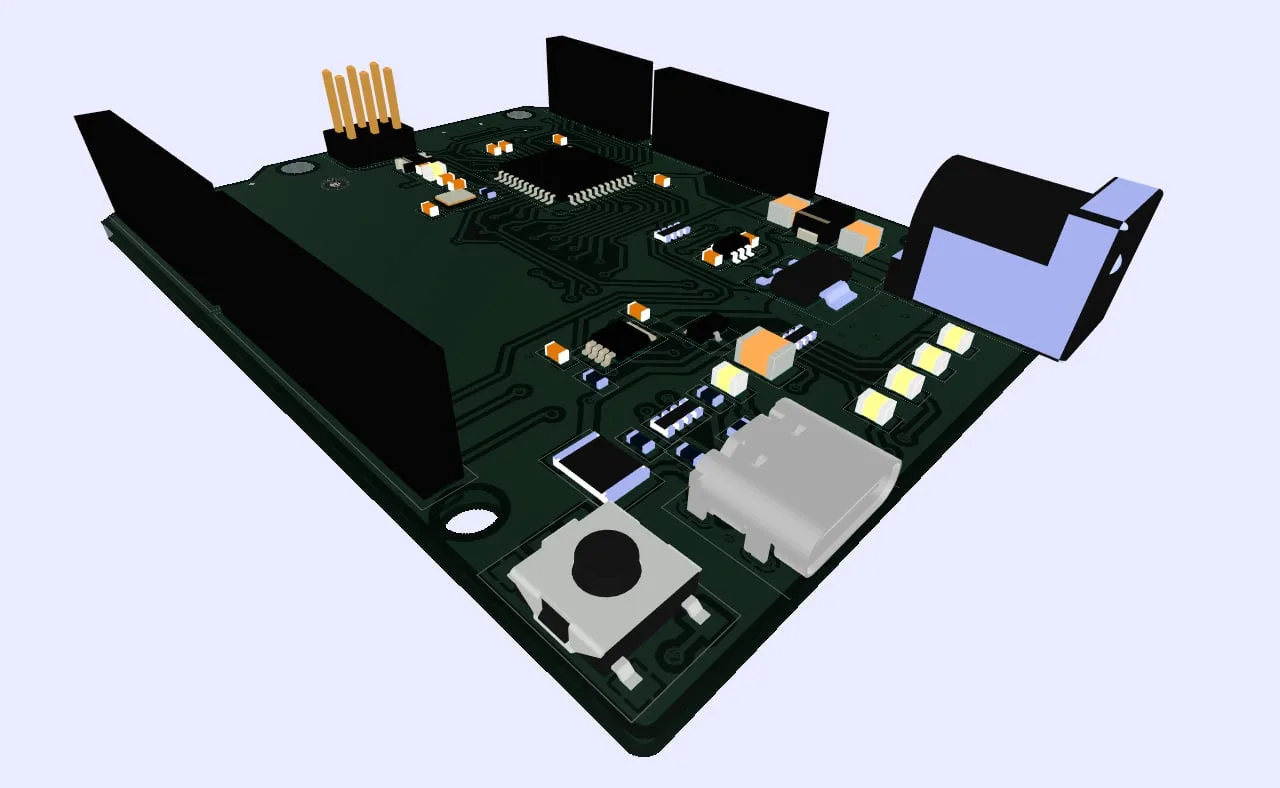
3D Export for PCB Layouts: STEP, OBJ and WebGL

  • Post author:Easylogix
  • Post published:14. April 2026
  • Post category:Blog

When 2D PCB data is no longer enoughPCB layouts often start and end as 2D data, but product development rarely stays in one dimension. Once enclosure design, mechanical integration, or…

Continue Reading3D Export for PCB Layouts: STEP, OBJ and WebGL
  • Go to the previous page
  • 1
  • 2
  • 3
  • 4
  • 5
  • 6
  • 7
  • …
  • 9
  • Go to the next page

What is new?

  • Power Pin Wizard for Faster PCB Power Net Review
  • Tutorial: DRC Analysis with PCB Investigator – Detect Manufacturing Issues Early
  • PCB 3D Export for STEP, OBJ, PDF and WebGL
  • PCB-Investigator License Models Compared
  • How Much Knowledge Is Hidden in Your PCB Data?

Our Editions

All functions of PCB-Investigator at a glance:

Edition Overview

About us
Contact
Distribution Partner
Imprint
Privacy
Job vacancies

Social Media
Facebook
Twitter
LinkedIn
Xing
Youtube

Services
Client Login
Case Studies
Links
Newsletter
About us

More Products
Gerber Viewer
PCB CAM Online
Native Board Import (NBI)

© Schindler & Schill GmbH 2026. All rights reserved.
Manage Consent
To provide the best experiences, we use technologies like cookies to store and/or access device information. Consenting to these technologies will allow us to process data such as browsing behavior or unique IDs on this site. Not consenting or withdrawing consent, may adversely affect certain features and functions.
Functional Always active
The technical storage or access is strictly necessary for the legitimate purpose of enabling the use of a specific service explicitly requested by the subscriber or user, or for the sole purpose of carrying out the transmission of a communication over an electronic communications network.
Preferences
The technical storage or access is necessary for the legitimate purpose of storing preferences that are not requested by the subscriber or user.
Statistics
The technical storage or access that is used exclusively for statistical purposes. The technical storage or access that is used exclusively for anonymous statistical purposes. Without a subpoena, voluntary compliance on the part of your Internet Service Provider, or additional records from a third party, information stored or retrieved for this purpose alone cannot usually be used to identify you.
Marketing
The technical storage or access is required to create user profiles to send advertising, or to track the user on a website or across several websites for similar marketing purposes.
  • Manage options
  • Manage services
  • Manage {vendor_count} vendors
  • Read more about these purposes
View preferences
  • {title}
  • {title}
  • {title}