
Turn component data into usable documentation
In PCB development, it is not enough to create a working layout. Teams also need documentation that is structured, easy to review, and immediately useful for fabrication, assembly, and quality checks. That is exactly where the Component Report in PCB-Investigator comes in.
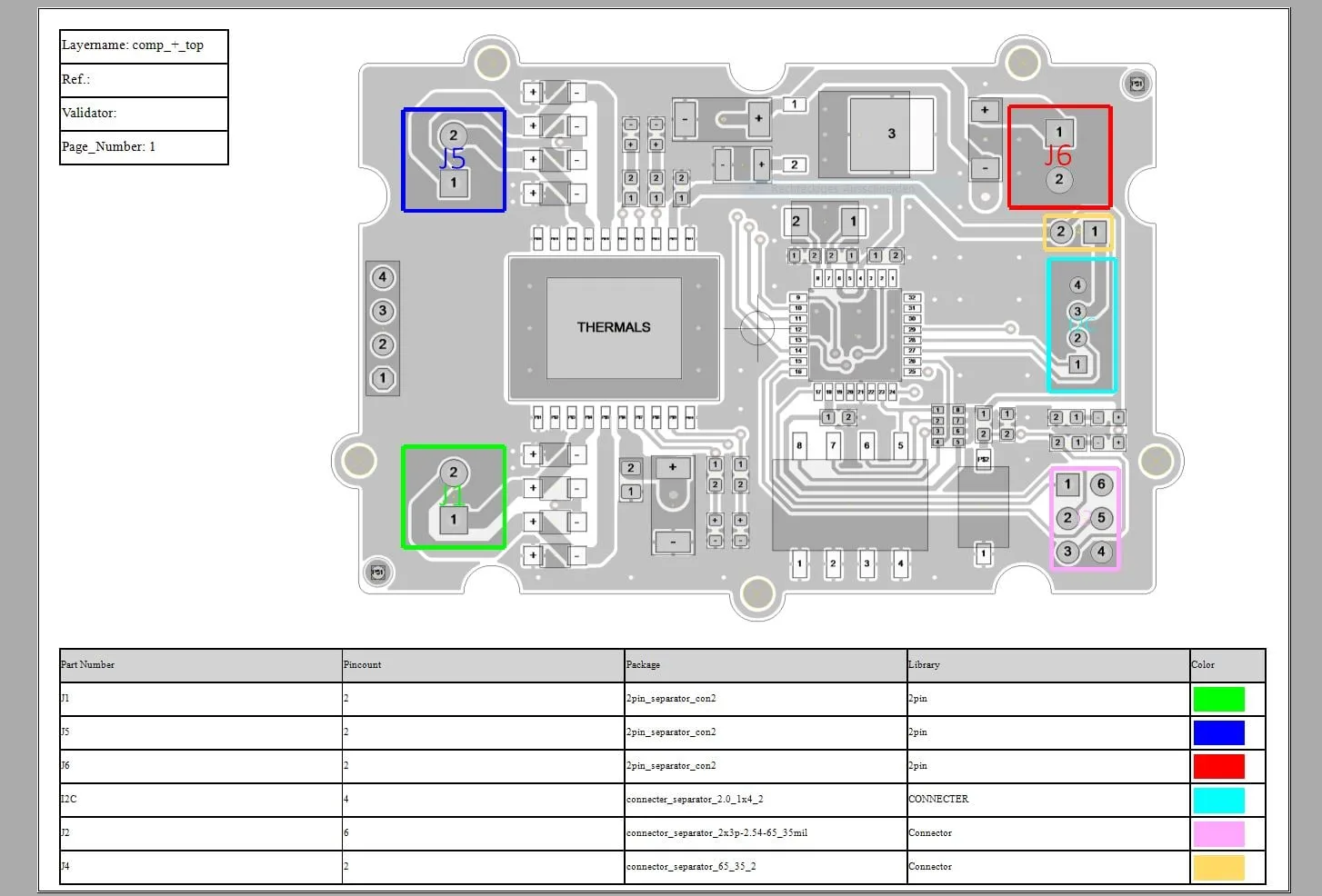
The feature generates a clear summary of all components on the board and highlights them visually based on selected attributes. The result is a documentation output that makes complex layout data easier to interpret at a glance.
Why this matters in real projects
Anyone working on dense boards knows how time-consuming manual component documentation can be. At the same time, design teams, EMS partners, and production engineers all need consistent information they can trust. A component report helps close that gap by turning layout data into a review-ready format.
This is especially valuable during design validation, production preparation, and assembly verification. Engineers can quickly check whether required parts are present, how components are grouped, and whether the documentation supports downstream processes without extra rework.
Flexible enough for engineering workflows
The Component Report is not a one-size-fits-all export. It allows you to define which attributes drive table partitioning and which properties control the color coding. You can also adjust layout settings, page options, print preview behavior, and the overall output structure to match your internal process.
- Color-coded component highlighting for fast visual checks
- Configurable table partitioning based on component attributes
- Flexible page and layout settings for reporting and printing
- Useful for fabrication and assembly review across teams
A well-structured component report improves clarity, reduces manual effort, and supports better decision-making across the board lifecycle.
Final thought
If your team needs better PCB documentation without building it manually from scratch, the Component Report is worth a closer look. It brings clarity, flexibility, and engineering relevance into one practical tool.
Explore the feature and see how it can fit into your workflow.